
Views: 0 Author: Site Editor Publish Time: 2026-01-01 Origin: Site
Door light switches are an incredibly convenient feature in modern homes. They provide easy access to lighting, allowing you to control lights as you enter or exit a room, often without needing to fumble around in the dark. However, like any other electrical component in your home, door light switches are not immune to malfunctions. Over time, issues such as faulty wiring, sensor problems, or mechanical failure can arise, making your door light switch less efficient or nonfunctional.
Possible Causes:
Faulty wiring: One of the most common issues with door light switches is improper wiring. If the wires are not properly connected or become loose over time, the switch may not function properly.
Defective switch: Over time, the internal components of the switch may wear out, causing it to fail completely.
Burned-out bulb: Sometimes, the problem isn't the switch itself, but rather a burned-out bulb. It’s essential to check the bulb first before assuming the switch is malfunctioning.
How to Fix It:
Check the bulb: First, ensure that the lightbulb is working by replacing it with a new one.
Inspect the wiring: Turn off the power to the switch and remove the switch plate. Check the wiring for any loose or disconnected wires. Tighten or reconnect them as necessary. If you're not familiar with electrical systems, it's best to call a professional electrician for this.
Replace the switch: If the wiring seems intact, the switch itself may be faulty. Replacing the door light switch is often the easiest solution. Make sure you turn off the power before replacing the switch to avoid any electrical hazards.
A flickering or sticking door light switch can be quite frustrating, as it disrupts the smooth operation of your lighting system. Flickering can cause distractions, while a sticking switch makes it difficult to operate the light when needed. There are a few common causes for this issue, and understanding them will help you identify the problem and apply the right solution.
Possible Causes:
Worn-out switch mechanism:
One of the most common reasons for flickering or sticking light switches is wear and tear on the internal mechanism of the switch. Over time, with constant use, the mechanical components within the switch can degrade. This causes irregular behavior, such as flickering or the switch getting stuck in either the "on" or "off" position. The internal contacts may become loose or dirty, leading to inconsistent electrical flow.
Electrical interference:
In some cases, flickering is not caused by the switch itself, but by electrical interference. Voltage fluctuations or issues with the circuit can cause a light to flicker. This is often due to problems such as overloaded circuits, short circuits, or improper grounding. The interference can disrupt the steady flow of electricity, leading to erratic behavior in connected appliances and switches.
How to Fix It:
Replace the switch:
If the flickering persists despite ensuring the bulb is in good condition and the wiring is secure, the switch mechanism itself may be faulty. The best course of action is to replace the switch entirely. When replacing the switch, make sure to turn off the power supply to avoid electrical hazards. Choose a high-quality switch that is rated for the electrical load of the room to ensure optimal performance.
Check for electrical interference:
If flickering is caused by electrical interference, this could indicate a deeper problem with the home’s electrical system, such as an overloaded circuit or faulty wiring. It’s important to inspect the circuit breakers and ensure they are properly sized for the load. If you're not experienced with electrical systems, it's highly advisable to consult a licensed electrician to assess the situation and make any necessary repairs to the circuit or wiring. A professional will also check for grounding issues, which can also cause flickering or sticking.
By addressing these common causes and applying the appropriate fixes, you can ensure that your door light switch functions smoothly and reliably, improving both the safety and convenience of your home lighting system.
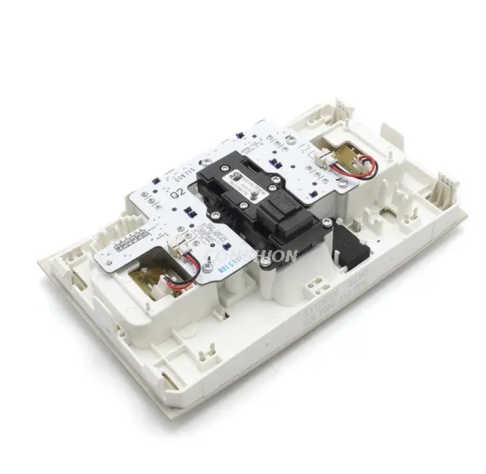
Possible Causes:
Blocked sensor: Sometimes, motion sensors may become obstructed by dust, debris, or other obstructions that prevent them from detecting movement.
Improper sensitivity settings: Motion sensors typically have adjustable sensitivity settings. If the sensor’s sensitivity is set too low, it may fail to detect movement properly.
Faulty sensor: If the sensor has become damaged or has degraded over time, it may no longer function correctly.
How to Fix It:
Clean the sensor: Wipe the motion sensor clean with a soft cloth to remove any dust, dirt, or debris that might be obstructing its view.
Adjust the sensitivity settings: Many motion sensors have a dial or button to adjust sensitivity. Increase the sensitivity to see if the sensor starts detecting motion again.
Replace the sensor: If cleaning and adjusting the sensitivity don't resolve the issue, it might be time to replace the motion sensor. Depending on the model, this can often be done without replacing the entire switch.
Possible Causes:
Faulty switch mechanism: Over time, mechanical wear and tear can cause the internal components of the switch to wear out. This may result in the switch failing to stay in the "on" or "off" position.
Loose wiring: Loose connections can prevent the switch from holding its position, especially if the wiring is not firmly attached.
How to Fix It:
Tighten the connections: Turn off the power to the switch and check the connections to ensure they are secure. If the wires are loose, tighten them carefully to ensure the switch functions properly.
Replace the switch: If the switch is still not staying in place despite tightening the wiring, the internal components may be damaged, requiring a replacement of the switch.
Possible Causes:
Overloaded circuit: If too many devices or lights are connected to the same circuit, the switch and wiring can overheat. This can be a fire hazard, so it's essential to address the issue immediately.
Faulty wiring: Incorrect or loose wiring can cause heat buildup, making the switch dangerously hot.
How to Fix It:
Turn off the power: If the switch is hot to the touch, immediately turn off the power to avoid any risk of electrical fire.
Check the circuit: Ensure that the circuit is not overloaded. If it is, consider redistributing the load to other circuits or reducing the number of devices connected to it.
Inspect the wiring: Check for any loose, damaged, or improperly connected wires. If you suspect faulty wiring, call an electrician to inspect and repair the system.
Possible Causes:
Tripped circuit breaker: If the circuit breaker has been tripped, the switch will not control the light. This can happen if there is a short circuit or an overload.
Burned-out switch: If the switch is old or has been used frequently, it may have simply worn out.
How to Fix It:
Check the circuit breaker: First, check the circuit breaker panel to see if any breakers have been tripped. If so, reset the breaker and see if the switch starts working again.
Replace the switch: If the circuit is fine, but the light still doesn’t respond to the switch, the switch may need to be replaced.
A door light switch is a simple but essential component of home lighting systems. While it provides great convenience and functionality, it can sometimes experience issues such as failure to turn the light on or off, flickering, or sensor problems. Understanding the common issues and their solutions can help you fix minor problems quickly and avoid unnecessary service calls.
At www.conshion.com, we specialize in providing high-quality door light switches and other electrical components for residential and commercial applications. Whether you're installing new lighting fixtures or troubleshooting existing systems, we offer reliable solutions to meet your needs.
Contact us today to learn more about our products and how we can help you enhance your home lighting system.
How can I tell if my door light switch is faulty?
If your light doesn’t turn on or off as expected, or if you notice flickering or unresponsiveness, these may be signs that your door light switch is faulty.
Can I fix a door light switch myself?
Many minor issues with door light switches, such as cleaning the sensor or tightening wiring, can be fixed by yourself. However, if you’re unsure, it's always best to consult a professional.
Why is my motion sensor light not detecting movement?
Possible reasons include obstructions on the sensor, low sensitivity settings, or a faulty sensor. Cleaning the sensor and adjusting its settings can often solve the problem.
How do I know if the wiring is the issue with my door light switch?
If the switch is not staying in place, is hot to the touch, or the light is not responding, loose or faulty wiring may be the issue. It’s important to check the wiring and tighten or replace any damaged connections.
When should I replace my door light switch?
If your door light switch is old, frequently malfunctioning, or showing signs of wear such as overheating or failure to stay in the "on" or "off" position, it’s time for a replacement.


